
An AI interview question generator is a tool that produces screening questions from a job title and job description, using a language model to infer the skills, knowledge, and behaviors a role requires. OneWayInterview includes one built directly into position setup, called Auto-generate questions. This guide covers how it works, what the output looks like, where AI-generated questions hold up well, where they fall short, and how to review a draft before it goes live.
The examples throughout use a real generation run for a Customer Service Representative role. The screenshots show actual output.
This guide is for recruiters and hiring managers
If you are a recruiter or hiring manager setting up screening questions for candidates, you are in the right place.
If you are a candidate preparing for an upcoming interview, this is not the right article. Search for candidate interview preparation tools; there are several built specifically for that purpose.
What AI-generated interview questions are
AI-generated interview questions are screening questions written by a language model based on inputs you provide: a job title and a job description. The model reads what you wrote, infers what competencies the role requires, and produces a draft set of questions designed to surface those competencies from candidates.
This is different from a question library or template bank. A library gives you pre-written questions sorted by category or job type. You browse, pick, and edit. An AI generator produces questions specific to the description you enter. The questions it produces for a Customer Service Representative at a SaaS company running Zendesk with a high-volume ticket queue will differ from the questions it produces for a Customer Service Representative at a retail chain, because the descriptions differ.
The practical result: you start with a draft that reflects your actual role requirements, not a generic set you'd need to substantially rewrite before it's usable.
For context on how one-way video interviews work as a screening format, see what one-way video interviews are.
Why hiring teams use AI to draft screening questions
Writing screening questions from scratch takes time. Drafting 8 questions plus two-tier rubrics manually typically takes 20–30 minutes for an experienced recruiter, longer for a role they haven't hired for before. Multiply that across ten open positions, several of which are unfamiliar, and question-writing becomes a meaningful drag on setup time.
There is also a consistency problem. The questions a recruiter writes vary by who they are, how familiar they are with the role, and what they happened to focus on when they sat down. AI drafting addresses both: it reduces the time to a first working draft, and it derives the questions from the job description rather than from whoever happened to write them.
The more specific use case is teams hiring across multiple roles simultaneously, or running recurring high-volume positions where question sets need to be refreshed without significant manual effort each cycle. For these teams, AI-generated questions function less like a one-time convenience and more like a standard part of position setup.
There is also a traceability argument. Questions generated from a documented job description are anchored to stated requirements. That makes it easier to explain what you're asking candidates and to keep screening questions aligned with the role as it's actually defined.
None of this replaces recruiter judgment. AI-generated questions are a starting point. The review step is where the recruiter's knowledge of the team, the culture, and the specific context of the hire shapes the final question set.
How to generate interview questions in OneWayInterview: step by step
Position setup in OneWayInterview has two steps: job description, then screening questions. The Auto-generate questions feature lives in step two.
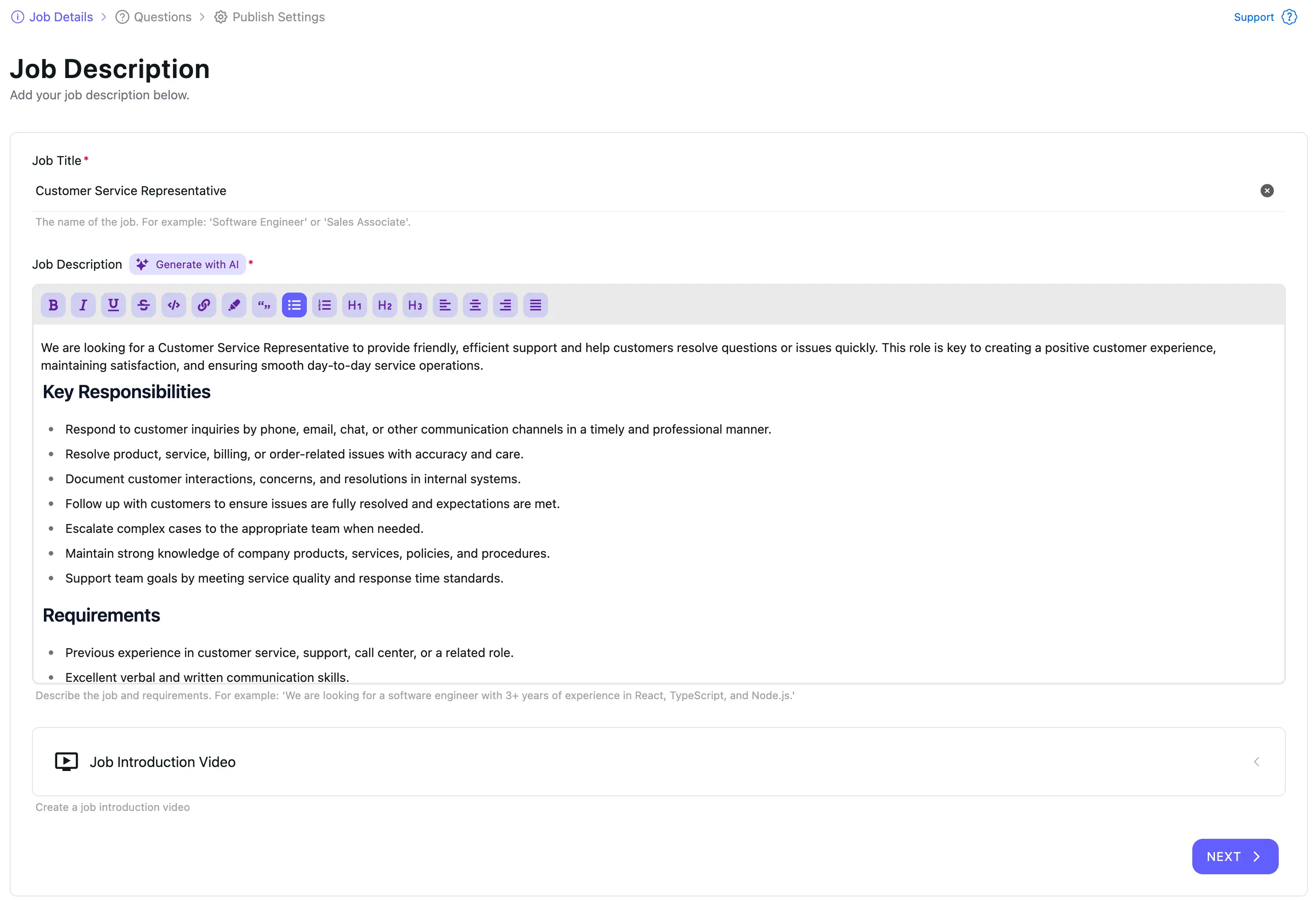
Step 1: Set up your position with a detailed job description
The AI reads your job title and job description from step one. What you put there determines what comes out. A description that names specific tools, lists core responsibilities in detail, and describes the working environment gives the AI enough to produce specific, role-relevant questions. A brief or generic description produces brief, generic questions.
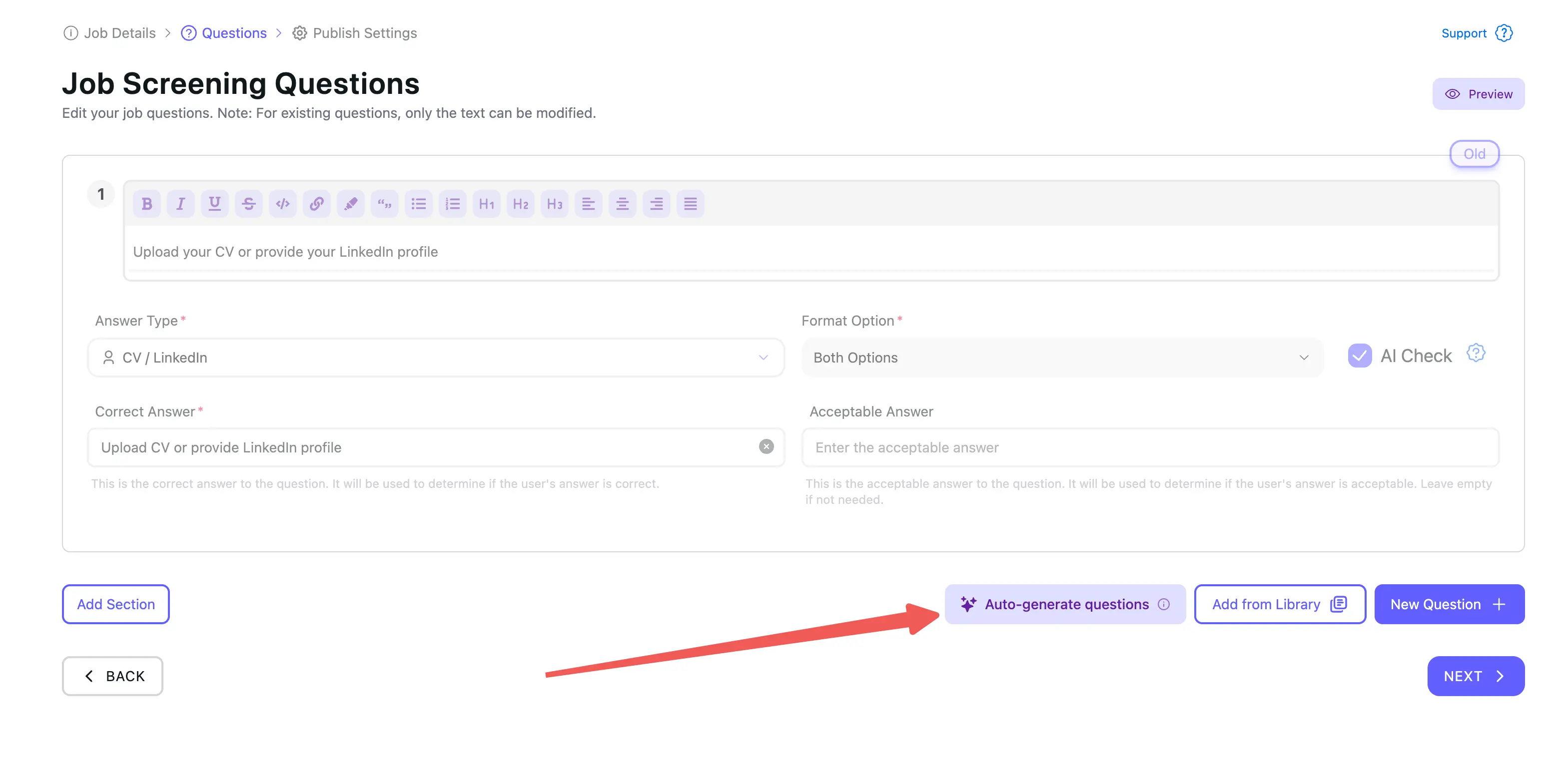
Step 2: Click the Auto-generate questions button on the screening questions screen
On the screening questions setup screen, the Auto-generate questions button reads what you entered in step one and begins generating.
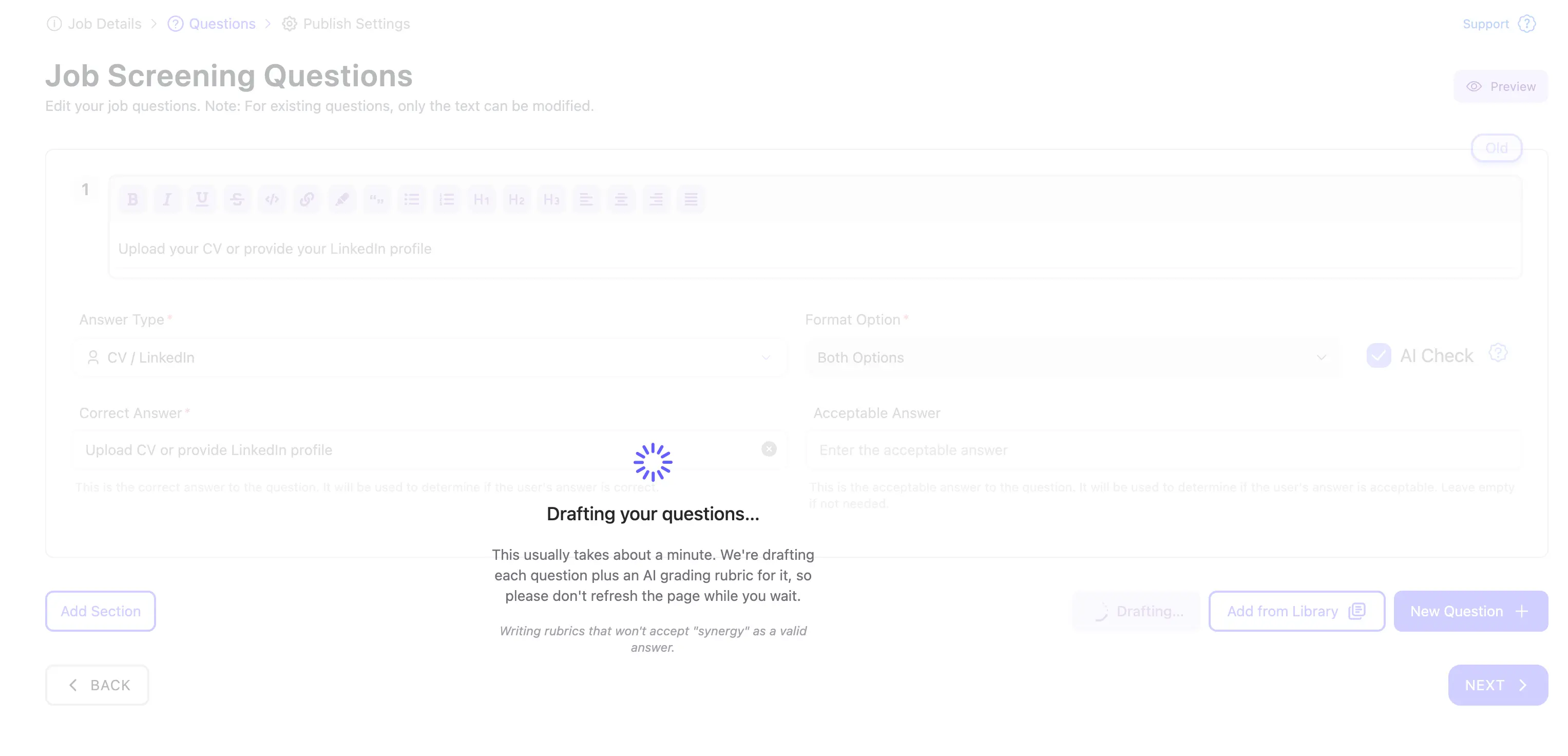
Step 3: Wait under 60 seconds
Generation takes about a minute. The loading modal reads "Drafting your questions." It takes longer than a simple search because the AI is producing both question text and a grading rubric for each question in the same pass.
Step 4: Review and edit the draft in the verify-and-edit modal
The output appears in a verify-and-edit modal. Nothing is saved until you confirm. This is a review step, not a one-click import. Edit what needs changing, delete what isn't relevant, add questions you want to include, and save.
What the AI generates: question types and rubric structure
A single generation run produces 4–9 questions. The mix includes TEXT and VIDEO question types.
TEXT questions work for knowledge checks and tool familiarity questions, where a written response is sufficient to evaluate the answer.
VIDEO questions work for behavioral and situational prompts, where how a candidate communicates is part of what you're evaluating alongside the content of their answer.
The AI assigns a question type to each generated question based on what it infers the question is testing. You can change the type in the verify-and-edit step if the default doesn't fit your evaluation approach.
Each question also comes with a two-tier grading rubric: a Correct Answer definition and an Acceptable Answer definition. These rubrics feed directly into AI-Check, OneWayInterview's automated scoring feature, which evaluates candidate responses after submission. The rubric defines what a strong answer looks like and what a minimally acceptable answer looks like. The AI-Check score for each candidate response reflects where their answer falls relative to those definitions.
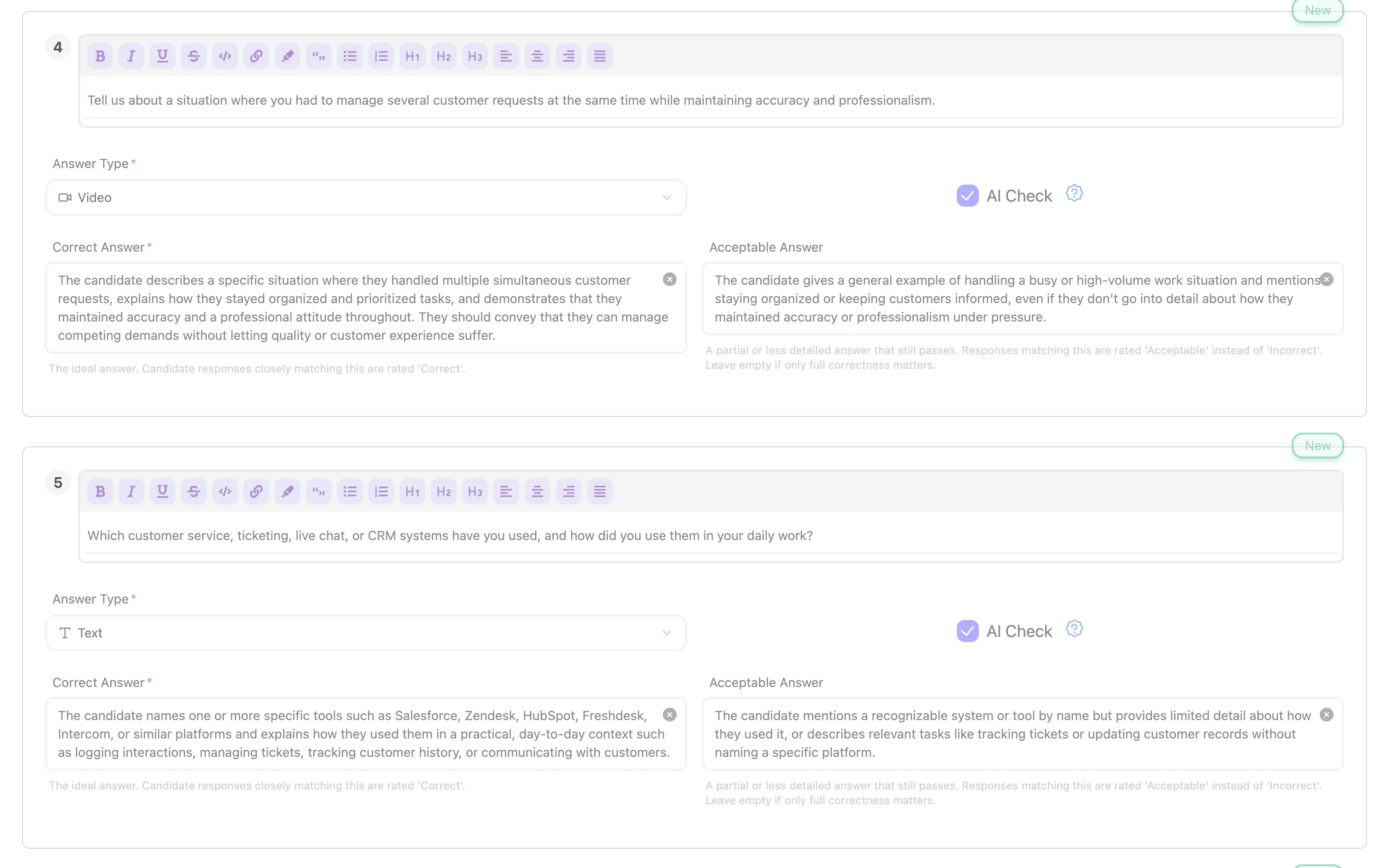
Here is what the generation run produced for the Customer Service Representative role used in this guide.
Q4: Video question (behavioral, AI Check on)
"Tell us about a situation where you had to manage several customer requests at the same time while maintaining accuracy and professionalism."
- Correct Answer: Candidate describes a specific situation with organized prioritization, maintains accuracy, and demonstrates professionalism throughout. They explain how they managed competing demands without sacrificing quality.
- Acceptable Answer: Candidate gives a general example that mentions staying organized or prioritizing. Less detail is provided, but the response demonstrates awareness of the challenge.
Q5: Text question (knowledge, AI Check on)
"Which customer service, ticketing, live chat, or CRM systems have you used, and how did you use them in your daily work?"
- Correct Answer: Candidate names specific tools such as Salesforce, Zendesk, HubSpot, Freshdesk, or Intercom, and explains how they used each in practice.
- Acceptable Answer: Candidate names at least one relevant tool and gives a brief description of how they used it, even without deep operational detail.
Both questions are specific to the role. Q4 is a behavioral VIDEO question framed around the core operational challenge of the position: managing simultaneous requests while maintaining quality. Q5 is a TEXT knowledge question designed to verify tool familiarity, naming the specific CRM and ticketing systems a Customer Service Representative is likely to use.
The rubric for Q5 names Salesforce, Zendesk, HubSpot, Freshdesk, and Intercom as expected correct-answer tools. That specificity is inferred from the job description. A role without those tools listed would produce a different rubric.
For context on where async screening fits into a hiring workflow, see async video interviews.
What AI-generated questions do well
Role-specific framing. When the job description is detailed, the questions are anchored to the actual work of the role. Q4 above is about managing simultaneous customer requests with accuracy and professionalism, not "describe a challenging situation at work." The specificity comes from the description.
Tool and knowledge questions. AI does well at identifying technical requirements listed in the job description and turning them into direct questions with specific rubrics. If the description names five CRM tools, the rubric will likely name them.
Rubric pre-population. Writing grading rubrics manually is time-consuming and easy to skip. Auto-generate questions drafts rubrics alongside questions, so each question arrives with a scoring framework already in place. Recruiters still review and adjust, but they start from a draft rather than a blank field.
Speed on unfamiliar roles. A draft of 4–9 questions with rubrics in under 60 seconds is faster than writing an equivalent set manually, particularly for roles a recruiter hasn't hired for before. The first draft may need editing, but it provides structure to react to rather than a blank page to fill.
What AI-generated questions don't do well
Culture and context specificity. The AI reads the job description. It cannot read a hiring manager's unstated preferences, a team's current dynamics, or what went wrong with the last person in this role. Questions about team fit, management style, or your organization's specific culture need to be added manually after generation.
Highly specialized or niche roles. For roles with uncommon technical requirements or narrow domain expertise, generated questions may be accurate but surface-level if the job description doesn't supply enough detail. The more specialized the role, the more important the review step.
Replacing subject-matter judgment. For technical roles where the recruiter isn't the domain expert, AI-generated questions should be reviewed by someone who knows the role before the position goes live. The AI produces a plausible draft. Whether the questions are the right ones to ask requires a human who understands what good looks like in that specific domain.
How to verify AI-generated questions before using them
The verify-and-edit modal is the review gate. Nothing saves until you confirm. When reviewing a generation draft, check these five things:
- Does the question text match your tone? If the phrasing sounds out of step with how your team communicates with candidates, rewrite it. The candidate will read this verbatim.
- Is the question type right? A knowledge question about tools might work as either TEXT or VIDEO depending on whether you want to read the answer or hear it. Change the type in the modal if the default doesn't fit your evaluation approach.
- Does the rubric capture what you actually want to accept? The Acceptable Answer tier defines the lower threshold for scoring. If it is too lenient or too strict for your bar, adjust it before saving.
- Are there required questions the AI didn't include? Add them before saving. The modal lets you add your own questions to the draft alongside the generated ones.
- Are any generated questions redundant or irrelevant? Delete them. A shorter, sharper question set produces better candidate data than a longer set with filler.
The goal of the review step is to produce a question set a recruiter would have written given more time, not to accept the AI's draft unchanged.
Does it work for any role?
Yes. The Auto-generate questions feature has no role library and no category presets. It reads your specific job title and job description each time. This means it works for any role in any industry: operations, engineering, sales, support, finance, and beyond.
The practical implication is that you do not browse a library to find the right template. You write a job description for your specific role and click the button.
If the first draft does not produce useful questions, the most common fix is to make the job description more specific. Add the tools the role uses, describe core responsibilities in more detail, and clarify seniority level and working context. Then generate again. The quality of the input directly drives the quality of the output.
For a broader look at where AI question generation fits among other hiring tools, see AI recruiting tools in 2026.
How the OneWayInterview approach compares to other AI question generators in 2026
Most AI question generators in 2026 are standalone tools: paste in a job title, get a list of questions, copy them somewhere else. Three things distinguish the OneWayInterview approach.
Integrated into position setup, not a separate tool. Auto-generate questions reads directly from the job description you entered in step one of position setup. There is no copy-paste step and no context loss between where you describe the role and where you configure screening questions.
Ships with grading rubrics, not just question text. Most standalone generators produce question lists. Auto-generate questions produces question text plus a two-tier rubric for each question (Correct Answer and Acceptable Answer), formatted to work directly with AI-Check automated scoring. The output is a complete screening package.
Verify-and-edit is the default, not an option. The draft appears in a modal that requires confirmation before anything saves. Editing, reordering, type-switching, and deleting all happen before the question set goes live. Review is built into the flow rather than left to the recruiter to remember.
Pricing and usage
Auto-generate questions is available on all paying OneWayInterview plans. There is no usage limit: generate as many drafts as you need across as many positions as you have open, with no per-generation charge and no monthly quota.
OneWayInterview offers a 14-day free trial with no credit card required at signup. The trial is the fastest way to test whether AI-generated question sets work for your roles before committing to a plan.
Frequently asked questions
How long does it take to generate interview questions with AI?
Generation in OneWayInterview takes under 60 seconds. The loading modal reads "Drafting your questions." It takes longer than a simple text search because the AI produces both question text and a two-tier grading rubric for each question in the same pass.
Are AI-generated interview questions any good?
It depends on the job description quality. When the description is specific about responsibilities, required tools, and the context of the role, the generated questions are typically specific and relevant. When the description is brief or generic, the questions follow. The output quality is directly tied to input quality, which is why the verify-and-edit step matters: the AI draft plus a recruiter review produces better results than either alone.
Can AI generate interview questions for any role?
Yes. The Auto-generate questions feature in OneWayInterview has no role library or category presets. It reads your job title and job description each time, which means it generates questions for any role in any industry. For highly specialized or technical roles, have a subject-matter expert review the draft before the position goes live.
Can I edit AI-generated interview questions?
Yes. Every generated question is editable before it saves. The verify-and-edit modal lets you rewrite question text, switch between TEXT and VIDEO question types, adjust the Correct Answer and Acceptable Answer rubric tiers, delete questions that are not relevant, and add your own questions to the draft. Nothing saves until you confirm.
Does the AI also write grading rubrics?
Yes. Each generated question includes a two-tier grading rubric: a Correct Answer definition and an Acceptable Answer definition. These rubrics feed directly into AI-Check, OneWayInterview's automated scoring feature, which evaluates candidate responses after submission. The rubrics are editable in the verify-and-edit modal before saving.
Is there a usage limit on AI question generation?
No. Auto-generate questions is available on all paying OneWayInterview plans with no per-generation charge and no monthly quota. You can generate as many drafts as you need across as many positions as you have open.
What model powers the question generator?
OneWayInterview routes Auto-generate questions through whichever frontier-class model is producing the best question and rubric quality at any given time. The current production setup uses Claude Sonnet 4.6 from Anthropic, with GPT-5.5 from OpenAI as a fallback. We benchmark new releases from Anthropic, OpenAI, and Google as they land and swap in the best performer. Model choice is managed for you; what we optimize for is the quality of generated questions and rubrics, not loyalty to a single model vendor.
How does this compare to writing questions manually?
Drafting 8 questions plus two-tier rubrics manually typically takes 20–30 minutes for an experienced recruiter, longer for a role they haven't hired for before. Auto-generate questions produces a comparable draft in under 60 seconds. Manual drafting still produces better questions when the recruiter has deep familiarity with the role and the time to think carefully. The AI approach is faster and more consistent when hiring across many roles simultaneously or when setting up an unfamiliar position.
Try it on your next position
If you already have an account, Auto-generate questions is available in the screening questions step of any position you set up. See how to set up a one-way interview if you want a full walkthrough of the position setup flow.
If you are not yet using OneWayInterview, the 14-day free trial requires no credit card to start. Set up a position with a real job description, click Auto-generate questions, and see whether the output is useful before you commit to a plan.